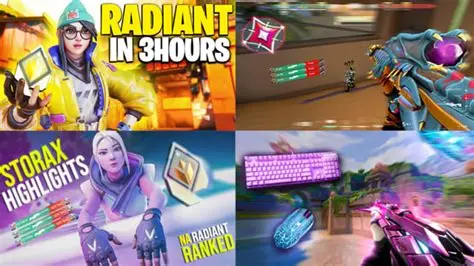
Behind the Screens: How Valorant Streamers Design Backgrounds That Just *Hit Different*
You ever hop into a Valorant stream and just get pulled in by more than just the insane clutch plays? A lot of the time, it's the whole vibe, and a massive part of that vibe comes from the streamer's background. We're not talking about a random bedroom wall here; we're talking about carefully curated digital realms and real-life setups designed to be as eye-catching as a perfectly executed Raze ultimate. These pros know that a killer backdrop isn't just scenery – it's part of their brand, their personality, and a secret weapon for keeping viewers glued. So, how exactly do they craft these visual masterpieces?
Bringing Your Vision to Life: Software & Tools for Background Creation
So, you've got this awesome idea for a Valorant stream background, right? Maybe it's a sleek, futuristic control room, or perhaps a cozy, gamer den vibe. The big question is, how do you actually make that happen? Luckily, there's a whole arsenal of software out there just waiting to help you turn those creative sparks into actual pixels on screen.
For most streamers, it all starts with some foundational design software. These are your digital canvases where you build the basic visual elements of your background. Think about what kind of visual style you're aiming for. Are you going for photorealistic? Or something more stylized and graphic?
Whether you’re a complete beginner or a seasoned digital artist, there’s a tool for you. Many streamers blend the capabilities of several programs to achieve their unique look, combining static images with animated elements and interactive features. Let's take a peek at some of the most popular contenders and what they bring to your streaming setup.
From advanced photo manipulation to simpler, template-based designs, the spectrum of choices can seem a bit overwhelming at first. But don't fret! We've broken down some of the go-to applications that Valorant streamers swear by, highlighting their main strengths and ideal use cases. This should give you a clearer picture of where to begin your background creation journey.
Remember, the best tool is often the one you feel most comfortable and proficient with. Don't be afraid to experiment and combine different software to get the exact aesthetic you're dreaming of for your amazing Valorant stream setup.
| Tool Name | Primary Use Case | Learning Curve | Pricing Model | Ideal For |
|---|---|---|---|---|
| Adobe Photoshop | High-fidelity graphic design, photo manipulation | Steep | Subscription | Professional designers, complex static overlays, custom assets |
| Canva | Quick graphic design, template-based creations | Easy | Free/Subscription | Beginners, quick overlays, branding elements |
| OBS Studio | Scene composition, source management, live mixing | Moderate | Free | All streamers for integrating all background elements |
| Streamlabs Desktop | All-in-one streaming software, overlay editor | Easy/Moderate | Free/Subscription | Streamers seeking integrated design and streaming features |
| Adobe After Effects | Motion graphics, animations, dynamic backgrounds | Very Steep | Subscription | Animators, complex animated backgrounds, intro/outro sequences |
| Figma / Adobe XD | UI/UX design, mockups, wireframing | Moderate | Free/Subscription | Streamers designing layout structures, planning scene flow |
As you can see from the table, each tool offers a unique advantage. Photoshop is a powerhouse for creating detailed, custom assets from scratch, giving you absolute control over every pixel. Many pro streamers use it to design unique logos, banners, and static elements for their backgrounds that perfectly match their brand.
Canva, on the other hand, is a fantastic starting point for those who might not have extensive design experience but still want professional-looking results quickly. It offers a plethora of templates and easy-to-use drag-and-drop features, making it incredibly accessible for crafting appealing and coherent visual components for your stream.
Then there are the streaming software giants like OBS Studio and Streamlabs Desktop. While not primarily design tools in themselves, they are absolutely crucial for bringing all your designed elements together. They allow you to layer your custom backgrounds, webcams, alerts, and game capture into a cohesive and visually appealing scene that your viewers will love to watch.
For those really looking to push the boundaries with animated backgrounds and dynamic effects, software like Adobe After Effects comes into play. It enables the creation of stunning motion graphics and intricate animations that can elevate your stream from good to truly unforgettable, adding a professional polish that captivates audiences.
Ultimately, the best setup often involves a combination. You might design static assets in Photoshop or Canva, animate them in After Effects, and then seamlessly integrate everything into OBS Studio or Streamlabs. It’s all about finding the workflow that clicks with your creative process and allows you to express your unique Valorant streaming personality.
Crafting Your Aesthetic: Themes, Color Palettes, and Branding Consistency
Alright, you’ve mastered the tools, and now it’s time to unleash your inner artist! Crafting an aesthetic for your Valorant stream background is like painting a masterpiece that your audience will see every single stream. It’s not just about what looks good, but what truly represents your unique vibe and makes your stream instantly recognizable.
The very first step is to nail down your theme. Are you a fierce Reyna main who wants a dark, edgy, and slightly chaotic vibe? Or perhaps a bubbly Sage player who prefers soft pastels and comforting imagery? Your theme should ideally resonate with your main agent, playstyle, or overall streaming personality.
Popular themes often draw inspiration directly from Valorant itself. Think about specific maps like Ascent or Icebox, or perhaps a futuristic, tactical UI design that echoes the game’s interface. Some streamers even create themes around specific bundles or events within the game, keeping their backgrounds fresh and highly relevant to the Valorant community.
Once your theme is locked in, the next crucial element is your color palette. Colors evoke emotions and set the entire mood of your stream. A vibrant, high-contrast palette might scream excitement and intensity, perfect for action-packed clutch moments. Conversely, a softer, monochromatic scheme could create a calm, welcoming atmosphere for chill streams.
There are tons of online tools to help you pick a great color scheme, or you can draw directly from Valorant's own rich visual language. Just make sure your chosen colors complement each other and don't clash or make your background too busy. Subtlety often works wonders in creating a polished and professional appearance.
Beyond just looking good, your background is a core part of your brand identity. Branding consistency is absolutely key here. Imagine if your stream overlays, social media banners, and channel art all looked completely different. It would be confusing for your viewers and dilute your unique presence online.
Your background should flawlessly integrate with your webcam border, alert animations, and even your "BRB" screen. Every visual element across your entire streaming ecosystem needs to speak the same language. This means using the same fonts, colors, and stylistic motifs throughout all your designs.
Think of popular streamers; you can often recognize their brand instantly just by seeing a snippet of their visuals. That’s the power of strong branding. It builds trust, fosters familiarity, and helps new viewers immediately understand what kind of content and personality they can expect from your Valorant stream.
So, before you dive into designing, take some time to conceptualize your ideal streamer persona. What story do you want your visuals to tell? What feeling do you want to evoke? Answering these questions will lay a solid foundation for a truly eye-catching and memorable Valorant stream background that resonates deeply with your audience.
Beyond the Static: Dynamic Elements and Interactive Backgrounds
Alright, you’ve got your awesome static background looking sharp. But what if we told you it could do even more? Taking your stream background beyond a simple image and into the realm of dynamic elements is where the real magic happens. This is how you create an engaging, living canvas that captivates your audience.
One of the easiest ways to add dynamism is through subtle animations. Imagine a gentle, ethereal glow behind your agent's portrait, or perhaps a slow, creeping smoke effect around your webcam frame. These small movements can add incredible depth and polish without distracting from your intense Valorant gameplay.
Animated elements don't have to be super complex. Simple looping GIFs or short video clips can be effectively integrated using your streaming software like OBS Studio or Streamlabs Desktop. Think about animated particle effects, subtle lens flares, or even moving patterns that subtly shift in the background, creating a sense of constant activity.
Beyond pure aesthetics, dynamic elements can also be functional. Picture your health bar subtly pulsating when you’re low, or perhaps your ultimate ability icon lighting up when it's ready to unleash. These visual cues, integrated into your background, can provide viewers with extra context about your in-game status, making the experience more immersive.
But why stop at just animations? Interactive backgrounds are the next frontier for streamer engagement. Imagine viewers being able to trigger specific background changes or effects through channel points, donations, or even chat commands. This turns your background from a passive display into an active participant in the stream.
For example, a viewer could redeem channel points to temporarily change your background to a specific Valorant map, or make a funny emote pop up behind you. This not only encourages viewer participation but also creates unique, memorable moments that can go viral and further boost your channel's visibility.
Integrating these interactive elements often requires third-party tools or plugins that bridge your streaming software with your chosen platform’s API. Services like StreamElements or Streamlabs often offer robust options for setting up custom alerts and viewer interactions that can be tied to visual changes on your screen.
You could even display live data on your background – perhaps your current follower count slowly ticking up, your win/loss ratio for the day, or even a subtle countdown to your next big event. These data-driven visuals add another layer of professionalism and transparency, making your stream feel more connected to your community.
The key is to find a balance. While dynamic and interactive elements are super cool, they shouldn’t overwhelm your primary content, which is you playing Valorant! They should enhance, not detract, from the viewing experience. Experiment, get feedback from your community, and slowly build up a background that feels alive and engaging.
Troubleshooting & Optimization: Common Hurdles and Pro Solutions
You’ve put in all that effort to design an incredible Valorant stream background, and then... something just isn't quite right. Technical glitches can be incredibly frustrating, but trust us, you’re not alone! Every streamer encounters hurdles, and the good news is, most common problems have straightforward solutions. Let’s tackle some of those pesky issues head-on.
One of the most frequent challenges, especially for streamers using a green screen, is "keying" issues. This is when your green screen either doesn't completely disappear, leaving a green fringe around you, or it removes parts of your actual body or clothing. Poor lighting is usually the main culprit here, so proper illumination is absolutely critical.
Ensure your green screen is evenly lit, with no shadows or wrinkles. Use soft, diffused lights directly on the screen itself, and then separate lights for yourself. Adjusting the chroma key settings within your streaming software, like OBS Studio's "Key Color Spill Reduction" and "Similarity" sliders, can also work wonders in cleaning up the edges and making your background seamless.
Another common problem is performance impact. All those beautiful animations and high-resolution background elements can sometimes put a strain on your CPU or GPU, leading to dropped frames or a laggy stream. Nobody wants that! Optimization is key to keeping your Valorant gameplay and stream running buttery smooth.
Start by checking the resolution of your background images and videos. Are they excessively large? Downsizing them to your stream’s output resolution (e.g., 1920x1080) can significantly reduce the load. For animated elements, use efficient video formats like .webm or .mp4, and keep loop durations relatively short to minimize resource usage.
Be mindful of the number of sources you have open in your streaming software. Each image, video, text, and browser source consumes resources. If you're experiencing lag, try temporarily disabling non-essential background elements to see if performance improves. You might find a single culprit that's hogging all your system’s power.
Audio syncing issues can also sneak up on you. If your microphone or game audio sounds out of sync with your video feed, especially after adding new visual elements, it might be due to processing delays. Most streaming software has an "Audio Monitoring" setting where you can add a small "Sync Offset" (in milliseconds) to realign your audio and video streams.
Lastly, sometimes your background just looks a bit off on stream compared to how it looks in your editor. This can be due to color space differences or scaling issues. Always test your stream privately before going live. Record a short clip and watch it back to catch any discrepancies in colors, resolution, or element placement.
Regular software updates for your streaming software, graphics drivers, and even Windows itself can prevent many compatibility issues. A little proactive maintenance goes a long way in ensuring your stunning Valorant stream background consistently looks its best without causing any headaches for you or your audience.
Your Burning Questions Answered: Valorant Stream Backgrounds FAQ
Alright, let’s wrap things up with some rapid-fire answers to those questions that are probably buzzing in your head about Valorant stream backgrounds. We've covered a lot, but there are always those little details or nagging doubts. This FAQ is here to clear things up and give you that extra boost of confidence for your next stream!
We've compiled some of the most common inquiries from aspiring and seasoned Valorant streamers alike, touching on everything from basic setup to advanced customization. Hopefully, these insights will help you further refine your stream's visual appeal and solve any lingering mysteries you might have had about making your background pop.
Remember, a great background is a continuous project, and learning never stops. So, take these answers, apply them to your setup, and don't be afraid to experiment. Your audience will definitely appreciate the effort you put into making your Valorant stream look as professional and engaging as possible.
Let's get to those questions!
What's the ideal resolution for a Valorant stream background?
For most streamers, 1920x1080 pixels (Full HD) is the sweet spot. If you're streaming in 4K, then 3840x2160 pixels would be ideal. Always match your background resolution to your stream's output resolution for the best clarity and performance.
Do I need a green screen to have a custom background?
Not necessarily! While a green screen offers the cleanest chroma key effect for removing your real-world background, many streamers use simple static images or animated overlays that fill the entire screen, with a cut-out for their webcam. This works perfectly if you don't want to show your actual room.
Where can I find free assets for my Valorant background?
There are many resources! Websites like Pexels, Unsplash, and Pixabay offer free stock photos and videos. For graphic elements, check out Freepik or Vecteezy (check licenses carefully). Some Valorant fan communities also share custom assets, but always respect copyright.
How do I make my background animated without major lag?
Use efficient video formats like .webm or .mp4. Keep animation loops short and simple. Ensure the resolution of your animated background matches your stream output. Limit the number of complex animations, and consider using hardware acceleration in your streaming software.
Should my background match my in-game crosshair color?
It’s not a strict rule, but consistency helps! If your crosshair is a specific color, incorporating that into your background's accent colors can create a cohesive and branded look. It's all about reinforcing your personal aesthetic.
How often should I change my Valorant stream background?
There's no hard rule. Some streamers update theirs seasonally, for special events, or when they feel like a refresh. Others stick with one iconic look for a long time. Change it when you feel inspired or when it starts to feel stale to you and your community.
Can I use copyrighted Valorant art in my background?
Using official Valorant art (like agent renders, logos) for non-commercial, fan-made content is generally accepted under Riot Games' "Legal Jibber Jabber" policy for fan content. However, if you plan on monetizing heavily or selling designs, it's best to create original artwork or use licensed assets to be safe.
My green screen looks terrible, what am I doing wrong?
Usually, it's lighting! Ensure your green screen is evenly lit, smooth, and free of wrinkles. Use two lights pointed at the green screen and separate lighting for yourself. Adjust chroma key settings like "Similarity" and "Spill Reduction" in OBS/Streamlabs for optimal results.
How do I integrate my Twitch chat into my background?
Most streaming software (OBS, Streamlabs) allows you to add browser sources. You can use a chat widget from StreamElements or Streamlabs, customize its appearance, and then place it anywhere on your background scene. Some even offer transparent chat options.
What if my background distracts from my Valorant gameplay?
This is a common concern! Keep your background elements subtle and non-intrusive. Avoid overly bright colors, fast-moving animations, or too much detail in areas where your webcam or game are. The goal is enhancement, not distraction. Get feedback from viewers!
Should I pay for a custom background or make my own?
Both are valid! If you have design skills and enjoy the process, making your own is rewarding. If you lack time, expertise, or just want a professional polish, consider hiring a graphic designer. Many artists specialize in stream overlays and backgrounds.
How do I make my webcam overlay blend with the background?
Design your webcam border to use similar colors, fonts, and stylistic elements as your main background. Ensure it has a consistent theme. Having a slightly transparent background element behind your webcam can also help it integrate more seamlessly without looking like a separate block.
Can my background change automatically during a stream?
Yes! Using scene collections and scene transition settings in OBS or Streamlabs, you can set up hotkeys to switch between different backgrounds. More advanced setups can even use third-party tools or scripts to automate scene changes based on events like raids or specific game states.
What's the difference between an overlay and a background?
A "background" is typically the static or animated image/video layer that sits behind everything else on your stream. An "overlay" refers to all the graphical elements placed over your game or webcam, such as webcam borders, alerts, chat boxes, and follower goals. They work together to create your full stream aesthetic.
How can I get feedback on my background design?
The best way is to ask your community! During a stream, ask viewers what they think. You can also post screenshots or short clips in Discord servers (yours or general streaming communities) or on social media and ask for constructive criticism. Be open to suggestions!
Thanks For Stopping By!
Alright, well, that's kinda the whole scoop on how those amazing Valorant streamers get their backgrounds looking so fresh and professional. Hope you snagged a few ideas to make your own setup shine, whether you're going live or just kicking back and enjoying the game. Big thanks for cruising through this with me; really appreciate you stopping by! And hey, don't disappear on us! We've always got more fun stuff cooking, so definitely pop back in whenever you're free!